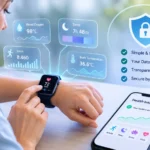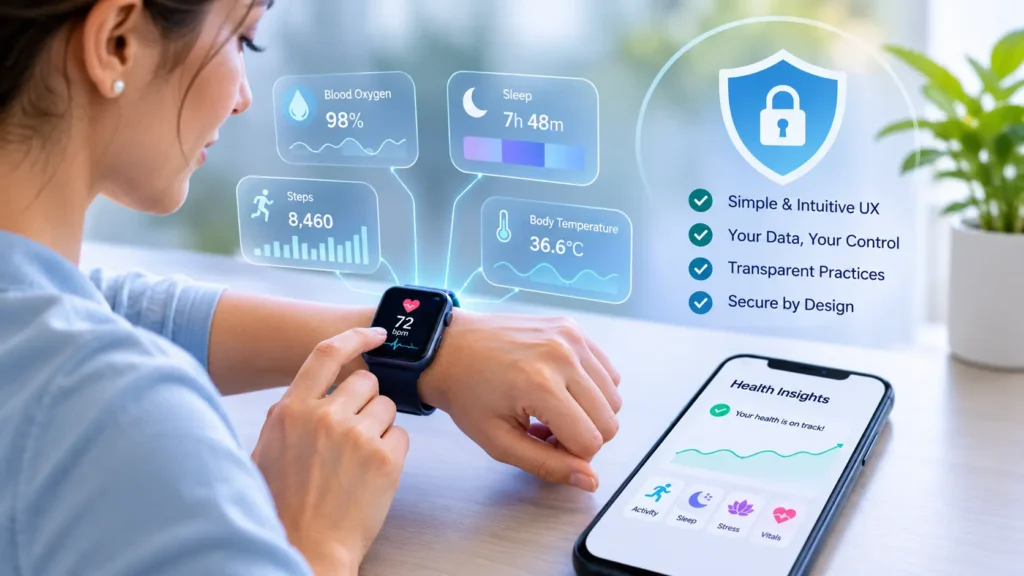
Opening any fitness app after using it for a while will likely result in a screen with numbers everywhere! AI wearables and Health Apps will collect a lot of health data including heart rate, sleep, temperature and movement throughout the day. The challenge comes with interpreting this data.
This article will walk through some considerations to ensure your app is successful.
Why it’s challenging to design for AI wearables and Health Apps.
While the wearable itself is cheap and simple enough to provide the data for most purposes, the AI model on top is where the money goes and will have the most press coverage. However, this is never seen by the user. All they will see is a screen with a score and 7am notifications.
If this causes confusion or concern for the user then it doesn’t matter how good your AI model is! They will uninstall your app if it gives them anxiety.
The emotional aspect of health data can be different to other areas such as retail or media. Seeing your resting heart rate increase can cause concern and seeing a low sleep score (54) can put you off for the rest of your morning. As designers you’re influencing how they feel about their body and should take this into consideration.
The data flow
It’s important to know exactly how your data is flowing. There are several points along the way that could cause UX issues and data privacy issues. A typical data flow will be:
- Data is sampled from raw signals such as heart rate (optical), movement and skin temperature and stored locally on the device.
- The wearable will connect to the phone via Bluetooth Low Energy and sync in batches.
- If permitted by the user, data is written to a health store (Apple HealthKit/Android Health Connect).
- Data is sent to your backend securely (TLS) over an encrypted connection using short-lived tokens.
- Once received by your backend, the data is cleaned and stored. This data is passed to models that then create scores, trends or recommendations.
- The results come back to the phone and are displayed based on your UI.
You can see there are quite a few delays. Batching means the data isn’t as real-time as you’d expect. If your UI suggests real-time data then the user will be confused when they see delayed numbers. Adding a simple last synced timestamp will help avoid a surprising amount of support requests.
UX Considerations
Show One Number and a Short Explanation
Old Health Apps would show lots of information such as heart rate variability, respiratory rate, strain and load. While this was great for power users, everyone else would close the app.
A good approach is to show one metric with a short explanation. For example “Your resting heart rate is four beats higher than usual, and you slept less this week.” This way you can appeal to curious users by allowing them to tap into more details. This keeps the home screen simple.
Be Honest About Uncertainty
Consumer devices are not equally accurate across measurements. Research summarized in this FemaleWell guide to combining wearables and blood tests notes that heart rate tends to be measured fairly well, while calorie and sleep-stage estimates are far less reliable. That matters because many apps present sleep stages as if they came from a lab. Having a clean UI will make you look confident. If you aren’t confident with a metric use ranges, trend lines or include the word ‘estimate’. Showing averages over the course of a week will be much more honest. If people understand how limited the data is they will be less likely to over react.
Show Why You’re Recommending Something
People won’t trust recommendations without any reasoning. Displaying a small card showing why you’re recommending something based on the data will help make your AI feel less like a black box.
It’s not just about looking nice. Healthcare AI tends to come up again and again as having issues with biased training data, confidently being wrong and being trusted too much due to a polished response. Being transparent with your reasoning will help with all 3.
Don’t Overload with Alerts
Every alert is a small claim on the users’ attention / anxiety. Having frequent alerts will teach users to ignore or become obsessed.
Only alert based on consistent changes. Allow users to set how often they want to be alerted. Don’t use any alarming wording if it’s not urgent. If there is a genuine issue to be aware of, simply say so and explain it’s best to speak to a clinician.
Onboarding with Trust
The first 2 minutes are crucial to getting users to connect their data. Be clear about what data you’re collecting and why. Just one sentence for each data type.
Ensure your app is still useful with incomplete data. If a user doesn’t allow you access to their sleep data then they should still be able to track their activity. Giving them an all or nothing option will feel pushy and usually will not go well.
Data Privacy Considerations
Request Permissions Contextually
According to AI Medical Startup, Both HealthKit and Health Connect allow you to request permission for each data type. Use this to your advantage. Only ask for permissions when they open a relevant section (heart rate when they open heart rate).
Ask for the least amount of data possible. Always be clear why you’re asking.
Less is More
The less data you ask for, the less chance there is of it being leaked. Before adding any data fields ask yourself why you need it. Can you do any processing on the device? Both major mobile operating systems allow for on-device machine learning. If you’re doing simple trend analysis then you may not even need to send raw data.
Set rules for how long you keep it. Most of the time you won’t need minute by minute heart data. Aggregate the data and set a schedule to delete the raw data. Be honest about this in your privacy policy.
Understand Regulations
Many founders assume HIPAA applies to all Health Apps. Unfortunately it usually does not. HIPAA usually applies to covered entities such as providers and insurers and their business associates. Most direct to consumer fitness apps will not fall under this.
However, there are many Health Apps that fall under the Health Breach Notification Rule by the Federal Trade Commission in the US. They have taken action against apps that have shared health data with advertisers without clear consent.
In the EU and UK health data is considered special category data under GDPR and requires a stronger legal basis to process. Many states in the US have their own laws around health data. This is not legal advice but it’s best to involve your counsel early.
Keep it Secure
Going back to your data flow, secure each step! Encrypt your data in transit and at rest. Use short lived tokens with refresh flows. Keep the user identifiers separate from health data so if one table is breached you’ve not got everything.
Quick Tech Tips
- Store tokens in the platform keychain/keystore.
- Log who has accessed sensitive data, don’t log the data.
- Allow users to delete their account. Ensure data is deleted from the server (including backups) on a schedule.
- Audit all third party SDKs.
This is an important one. Analytics and advertising SDKs are a common reason for unintentional data sharing. Regulators won’t be impressed with “the library did it”.
When to consider Privacy
Privacy can often feel like an issue for teams to overcome. However, in the health space it often works in your favour. Having a clear permission screen, simple data summary and easy delete will all improve your UX as users will feel in control.
Having a data screen in settings showing what data you have, last synced and who can see it will take a few days to build but shows you respect your users.
Involve your design and security teams early. If they haven’t met until launch you’ll have a clunky solution that doesn’t please either.
Implementation
When scoping your product:
- Create a data flow chart showing where data is stored and shared.
- Select one key metric for each core screen. Write a simple explanation.
- Add reliability labels to each metric and decide how to show uncertainty.
- Write your permission messages and onboarding messages.
- Decide on how long to keep data and what can be processed on the device. Choose your database.
- Audit third party SDKs and perform a basic threat model.
- Test with real users. Try to include people who may feel anxious about their health.
An experienced mobile app development team can create the architecture and screens for you. Web app development can be used to create dashboards and admin tools.
The best wearable apps will not be based on how clever your model is. They will be based on making someone feel in control when they quickly glance at their screen and knowing their data will stay their own.